 Auto Dialer & Call Centre Software
Run your whole call centre from one simple screen.
Auto dialing, IVR “Press 1” campaigns, an AI agent that talks to customers, inbound lines, live monitoring and call recordings — in one web software that works on your computer, tablet and phone. Agents need only a browser and a headset.
- Progressive
- Predictive
- AI agent
- IVR Press 1
- Inbound
- Recordings



Everything your calling team needs, in one place
Connsol dials your lists by itself, connects only the answered calls to free agents, plays voice messages to thousands of customers at once and shows you everything live. Managers see the floor in real time; agents see only the next customer.
It installs on your own server from a simple installer — Asterisk, the web screens and the database come together — and it is built and supported by Group Takey in India.
Built for busy calling floors
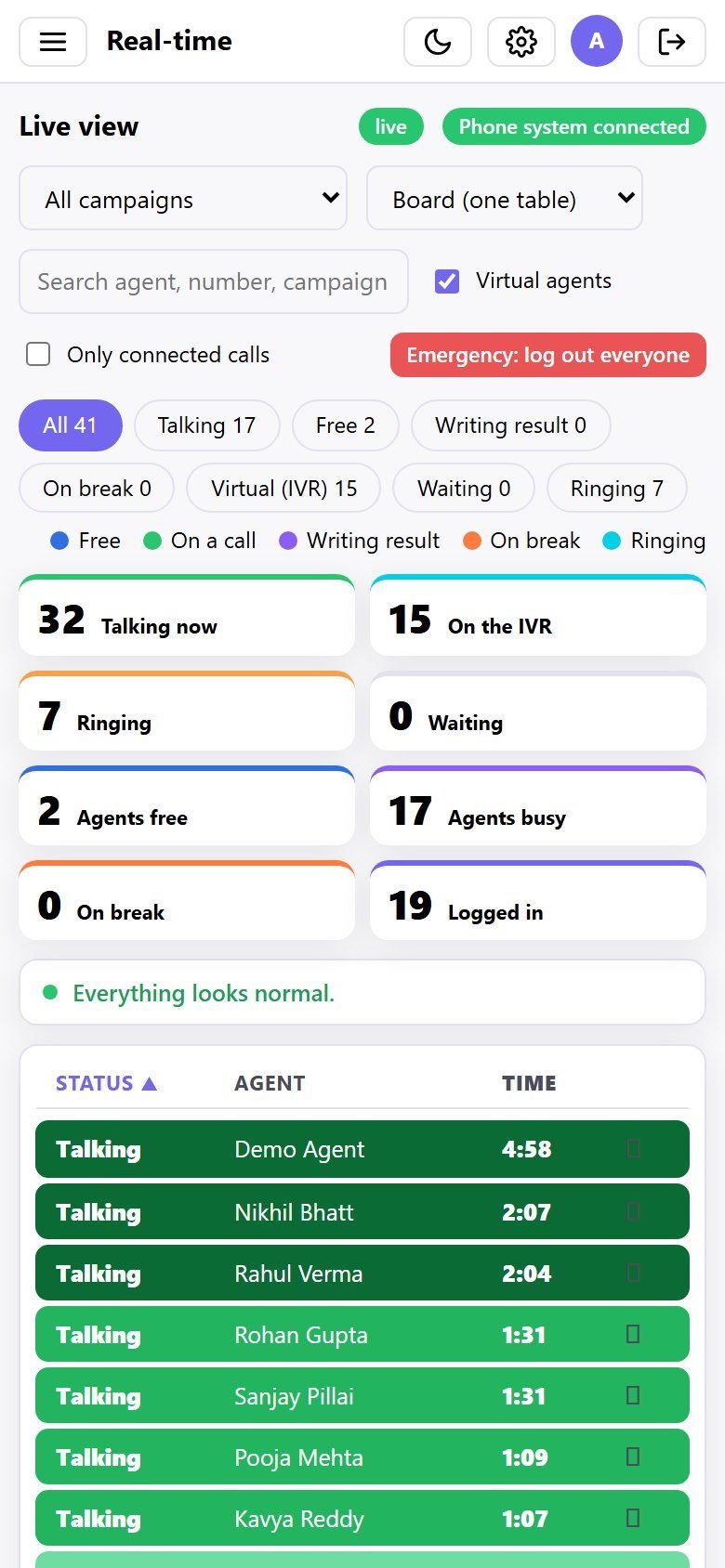
See every agent and every call as it happens.
The real-time board shows who is talking, ringing, free, writing the result or on a break — with colours and timers.
- Board, wall, tiles and classic views
- Warnings for long breaks, idle agents and long waits
- Click an agent or a call for the full detail
- Hang up a stuck call or log an agent out in one click
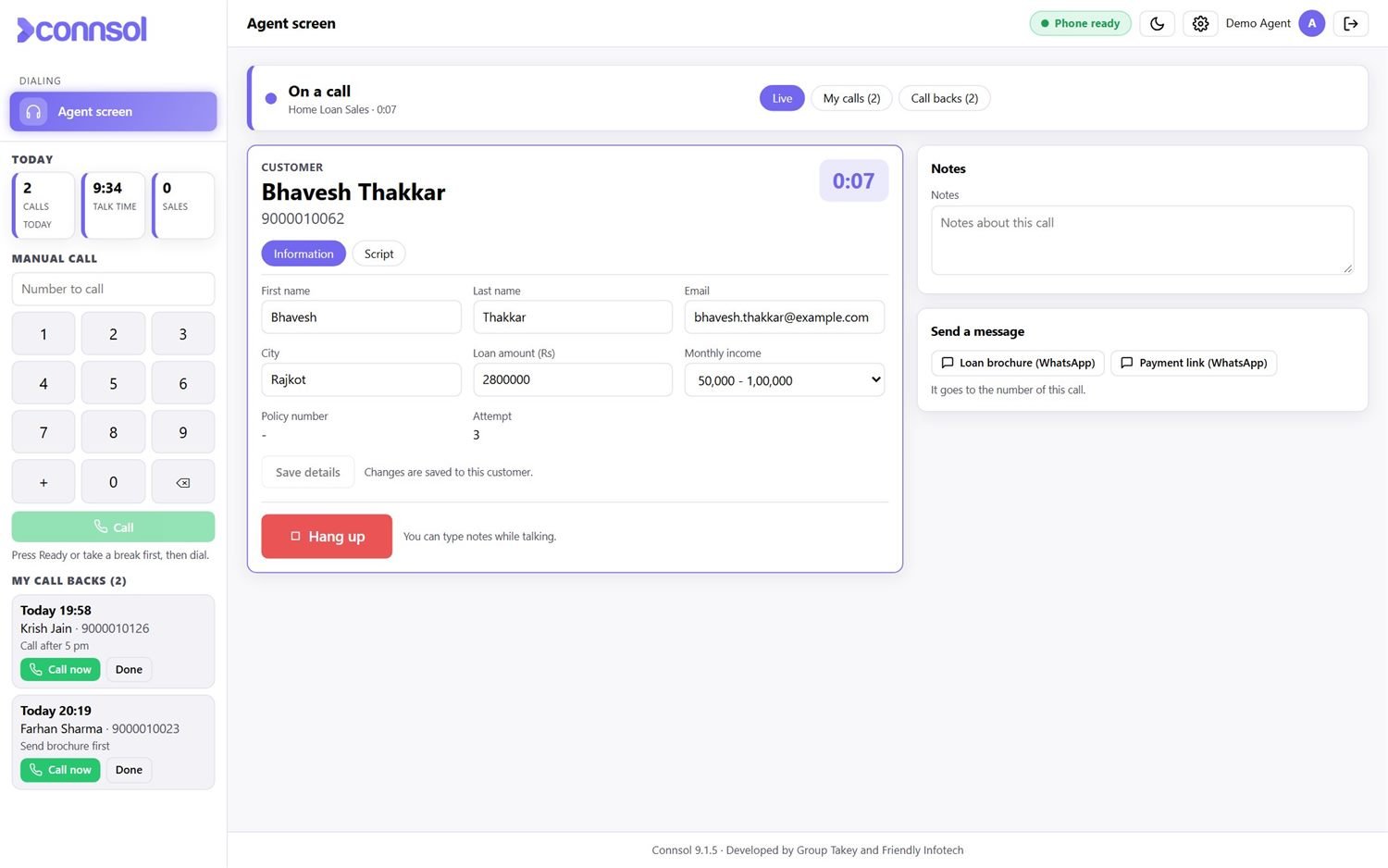
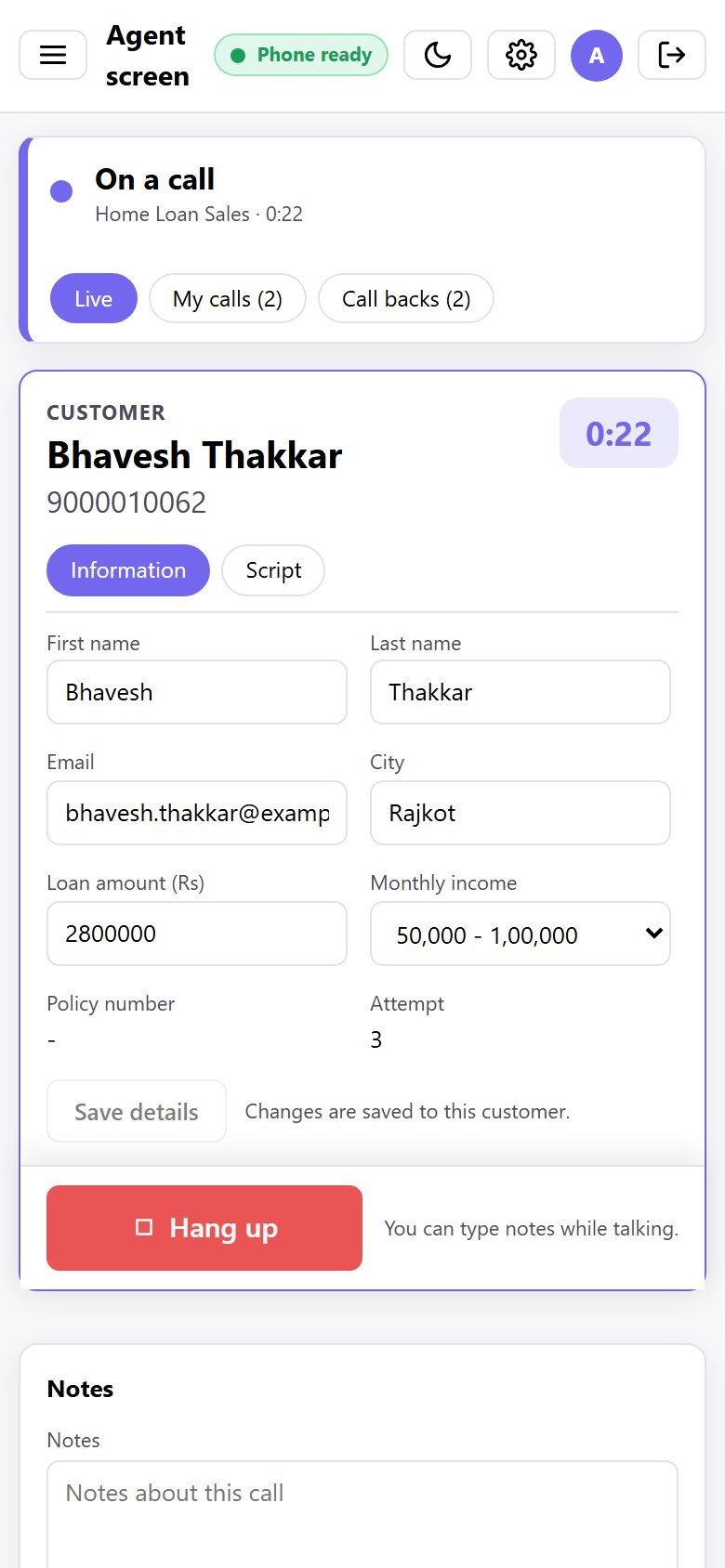
Everything the agent needs, on one calm screen.
The customer’s details open the moment the call connects. The agent types notes, sends a WhatsApp, reads the script and picks the result.
- Built-in browser phone, ready / break / on-call status
- Manual dial pad, call backs with reminders, “My calls” history
- Your own lead fields and a script for every campaign
- Works on a phone too — light and dark mode
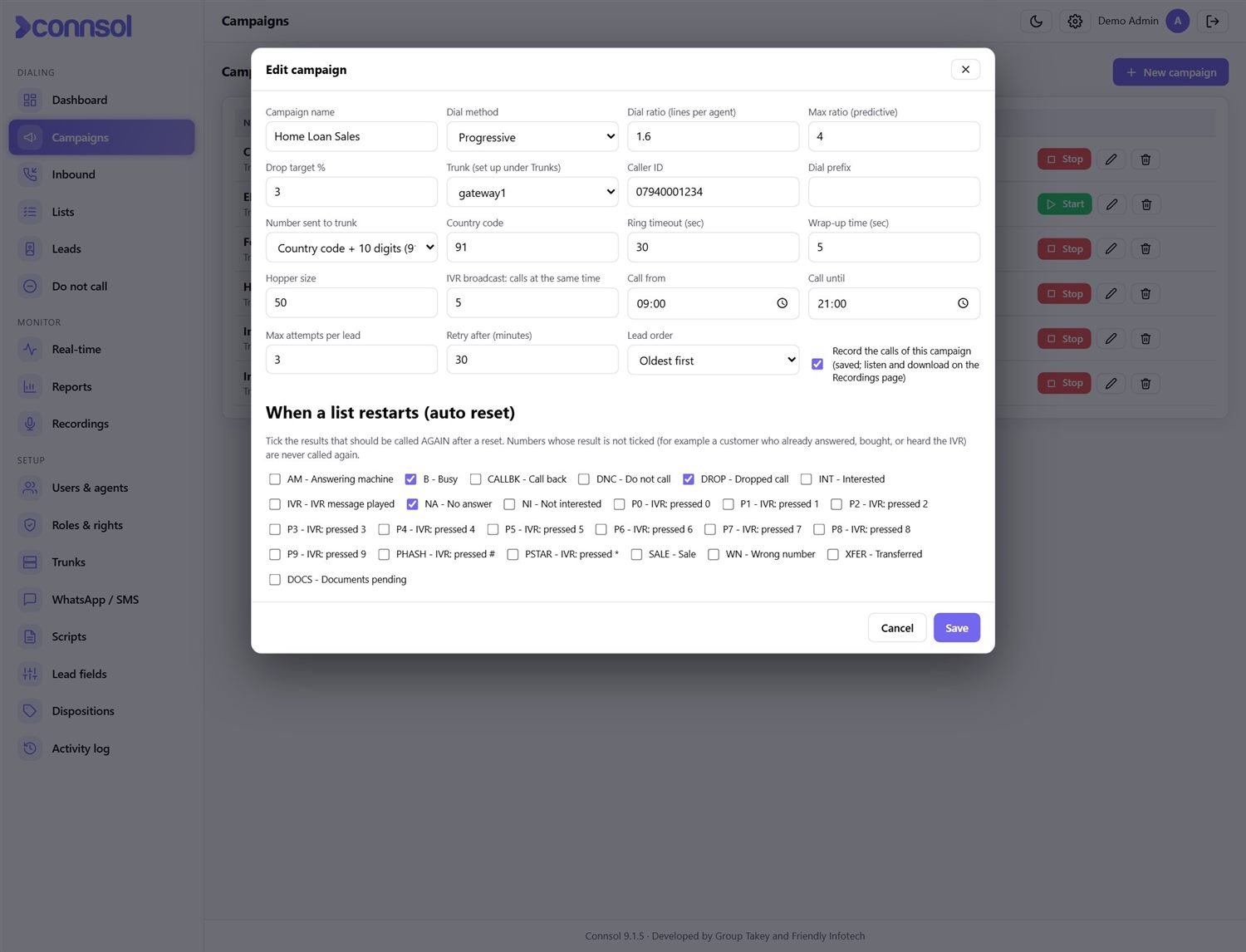
Campaigns that dial by themselves.
Every campaign has its own dialing method, trunk, caller ID, calling hours and retry rules. Start and stop with one tap.
- Progressive and predictive with an adaptive ratio and drop-rate limit
- Lists upload from Excel / CSV and restart automatically (rounds)
- Schedule a list to start and stop by itself
- Do-Not-Call list respected by every campaign
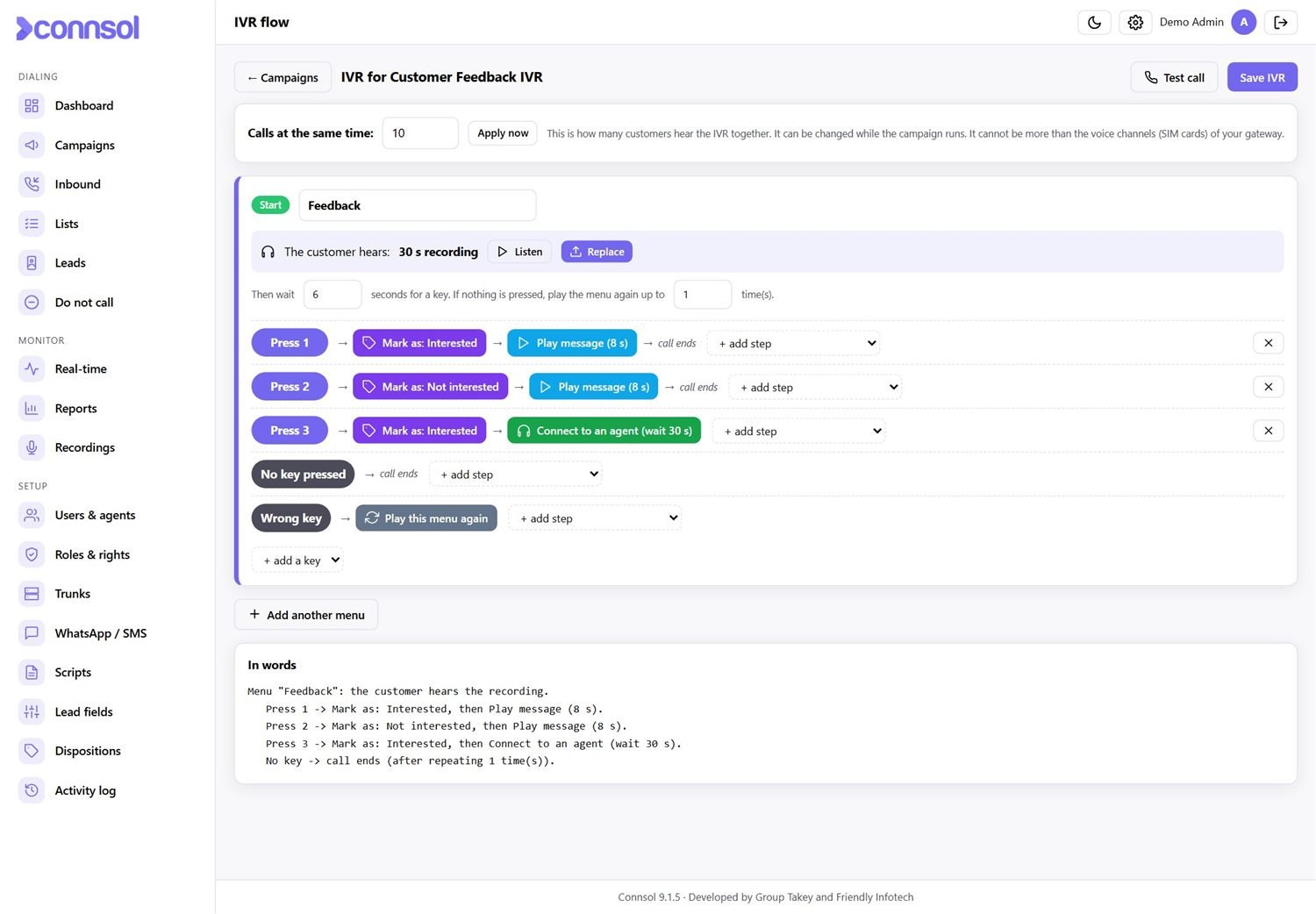
Press 1 for interested. Press 2 if not.
Call thousands of customers with a recorded message and let them reply with a key. Build the flow by clicking — no coding.
- Menus, keys and messages in a visual builder
- Key results: mark the lead, add to Do-Not-Call, send a WhatsApp or connect to an agent
- Run many calls at the same time (as many as your lines allow)
- IVR key reports for every campaign
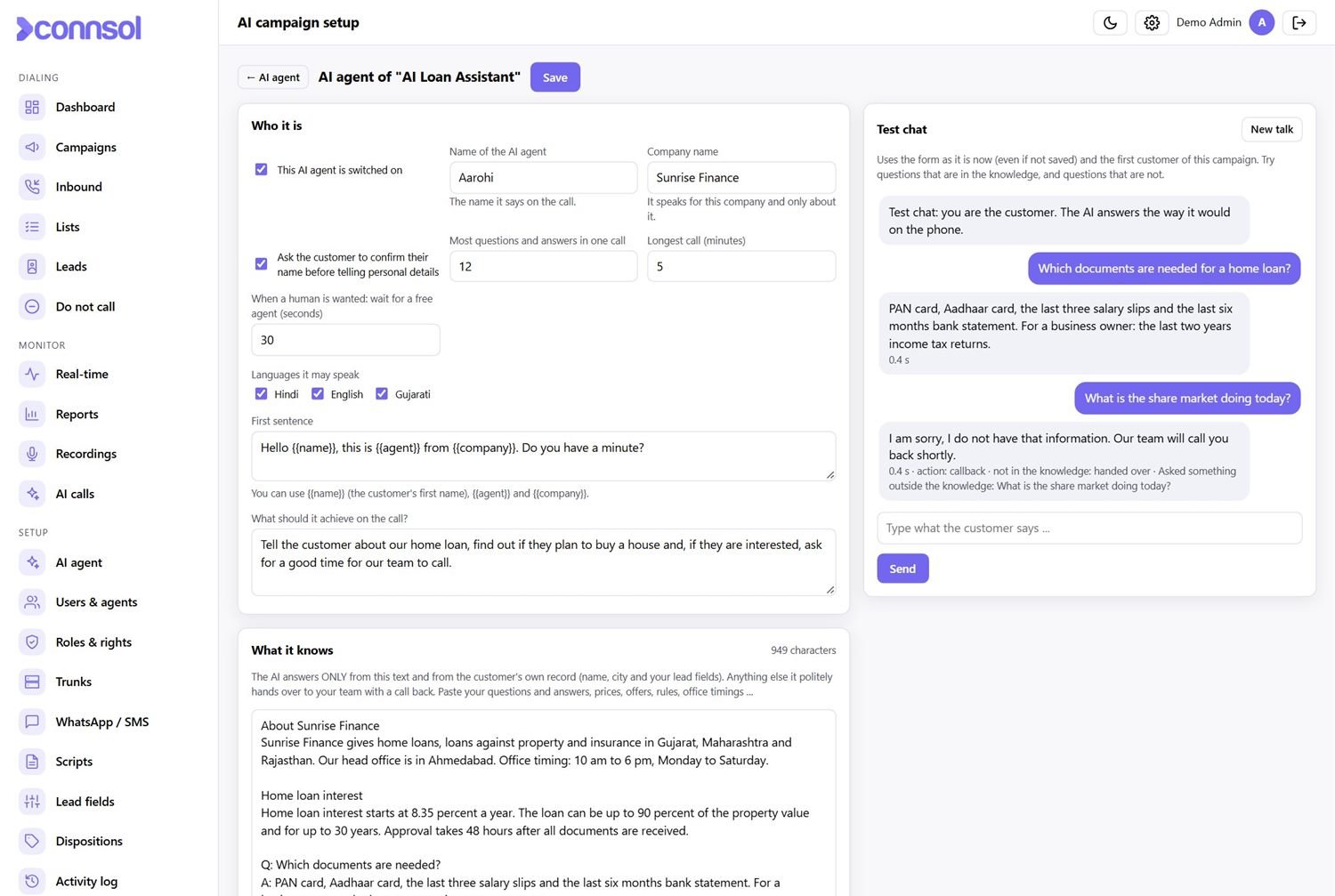
An AI that talks to your customers for you.
Instead of a recorded message, the AI agent speaks with the customer in Hindi, English or Gujarati and answers their questions. It uses only the information you give it, and hands everything else to your team.
- You paste your own questions, answers, prices and rules: it answers only from them
- Tells the customer their own details (after they confirm their name)
- Puts the customer through to a human agent, books a call back or marks Do-Not-Call
- Test chat to check the answers before going live; every call is saved as text
- Free AI on your own server (no internet, no cost per call) or an online AI service: switch with one setting
Answer your customers faster.
Point your numbers to Connsol. Calls go to the first free agent of a campaign, or to an IVR menu first.
- Several inbound lines, each with its own campaign
- Callers wait with music; maximum waiting time per line
- Reports for answered, waiting and abandoned calls

Know your numbers — by day, hour, agent and campaign.
27 ready reports with charts and plain-language summaries. Nothing to set up.
- Overview, daily / monthly, by hour, best day of the week, results, call length
- Agent performance, agent productivity per hour, agent day by day, agent time
- Sales funnel from call to sale, dropped-call watch against the 3% limit, AI agent calls
- Campaign, list, lead status and every-reset (round) reports
- Export to Excel, PDF or CSV, or print
- Email any report with one click, or get chosen reports in your inbox every day
Listen to any call. Download it if you need it.
Tick “Record the calls” in a campaign and every call is saved. Admins and managers search by date, campaign, agent or number.
- Play in the browser, with seek
- Download the file with a clear name
- Separate access right — only the people you choose
Decide who can do what.
Admin, manager and agent are ready. Build your own roles from 35 separate rights, and give each person only their campaigns.
- Supervisor, auditor, team leader … any role you need
- Per-user campaigns: people see only their own work
- Activity log of who did what and when

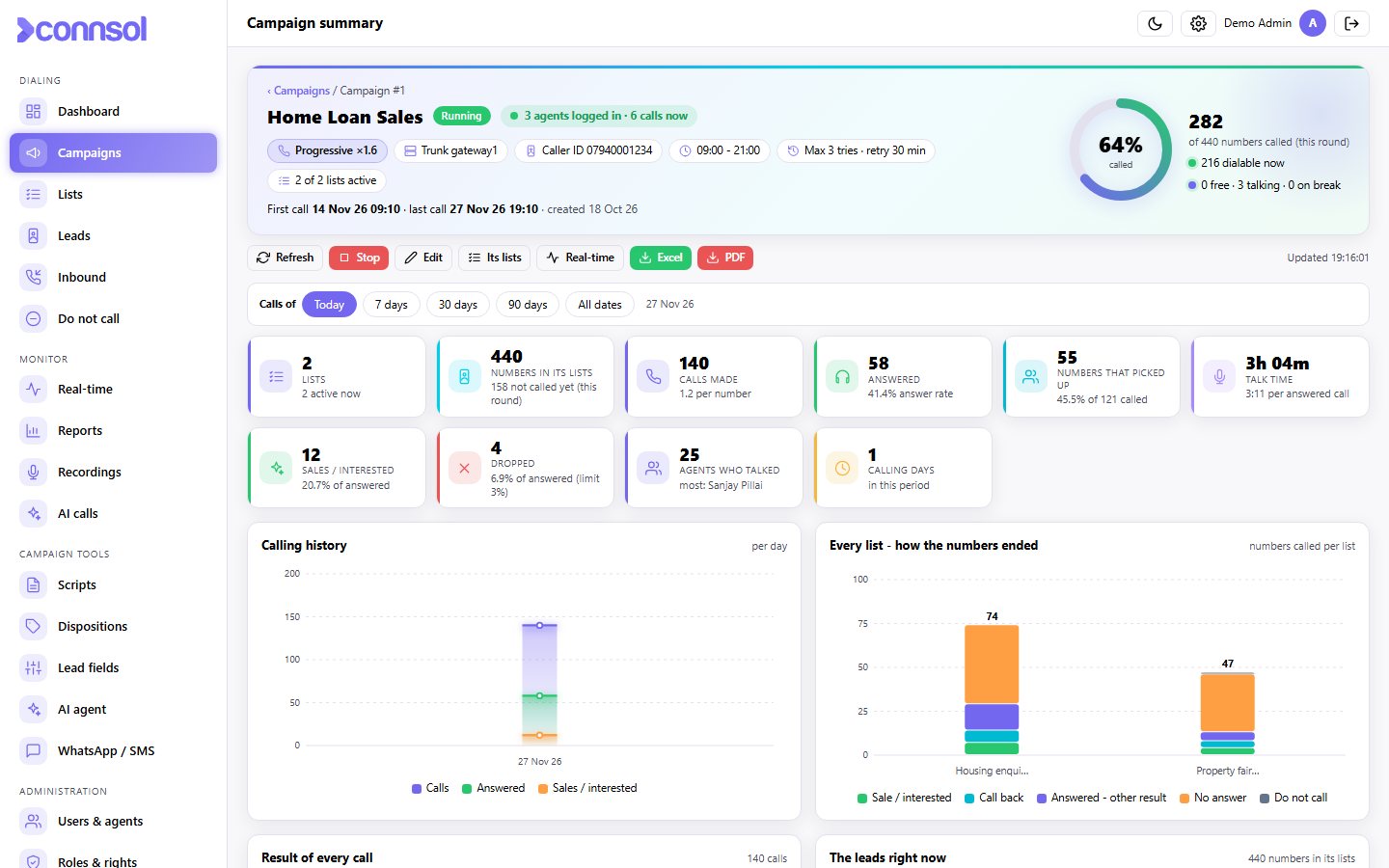
One click on a campaign tells its whole story.
Open a campaign and you first see how it stands right now: its lists, the leads waiting and who is working on it. Then the calls of the period you choose come in, from today to all dates, so you can see what is going well and what needs attention.
- Today, 7, 30 or 90 days, or all dates
- Day-by-day results, list by list
- Best hours and days, and agent performance
- Why calls did not connect
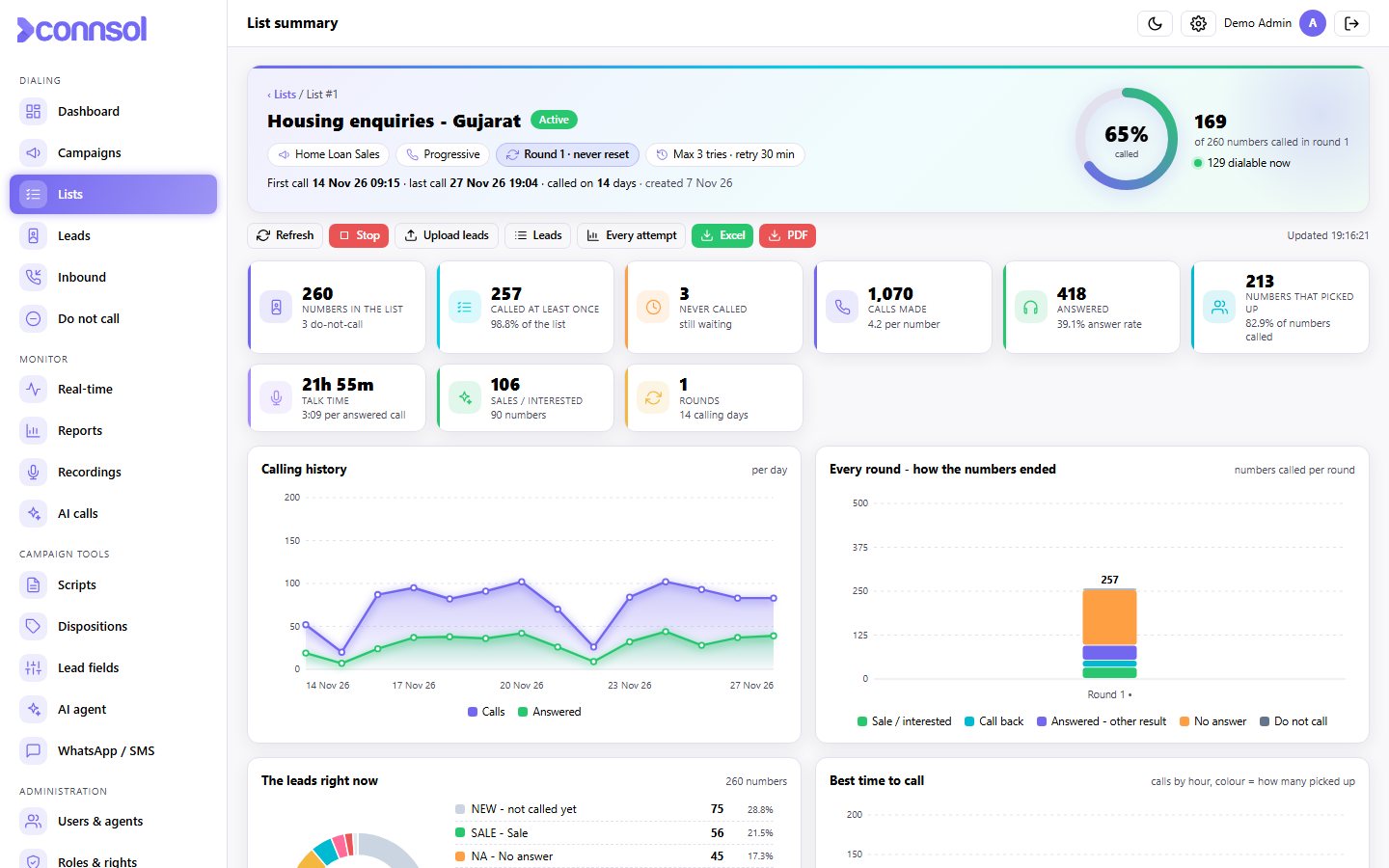
See exactly how every list has performed.
The list page gathers everything about one list over all its dates. Each round is shown on its own, from the first run to every reset, so you can judge whether a list is still worth dialing or has already given what it can.
- Where the list stands now
- Results round by round and day by day
- Best calling hours and agents
- Export list files as Excel or PDF, one list or many in a ZIP, or send them by e-mail
More control for the people who run it
Listen, whisper or join
A supervisor can listen to a running call, whisper to the agent or talk to everyone.
Backup & disk
Automatic backups, downloaded to the administrator's computer, with a warning when the disk fills up.
Updates
The administrator is told when a new version is ready and updates from Settings.
Safe reboot & shutdown
Server reboot or power-off needs the administrator password and a deliberate slide.
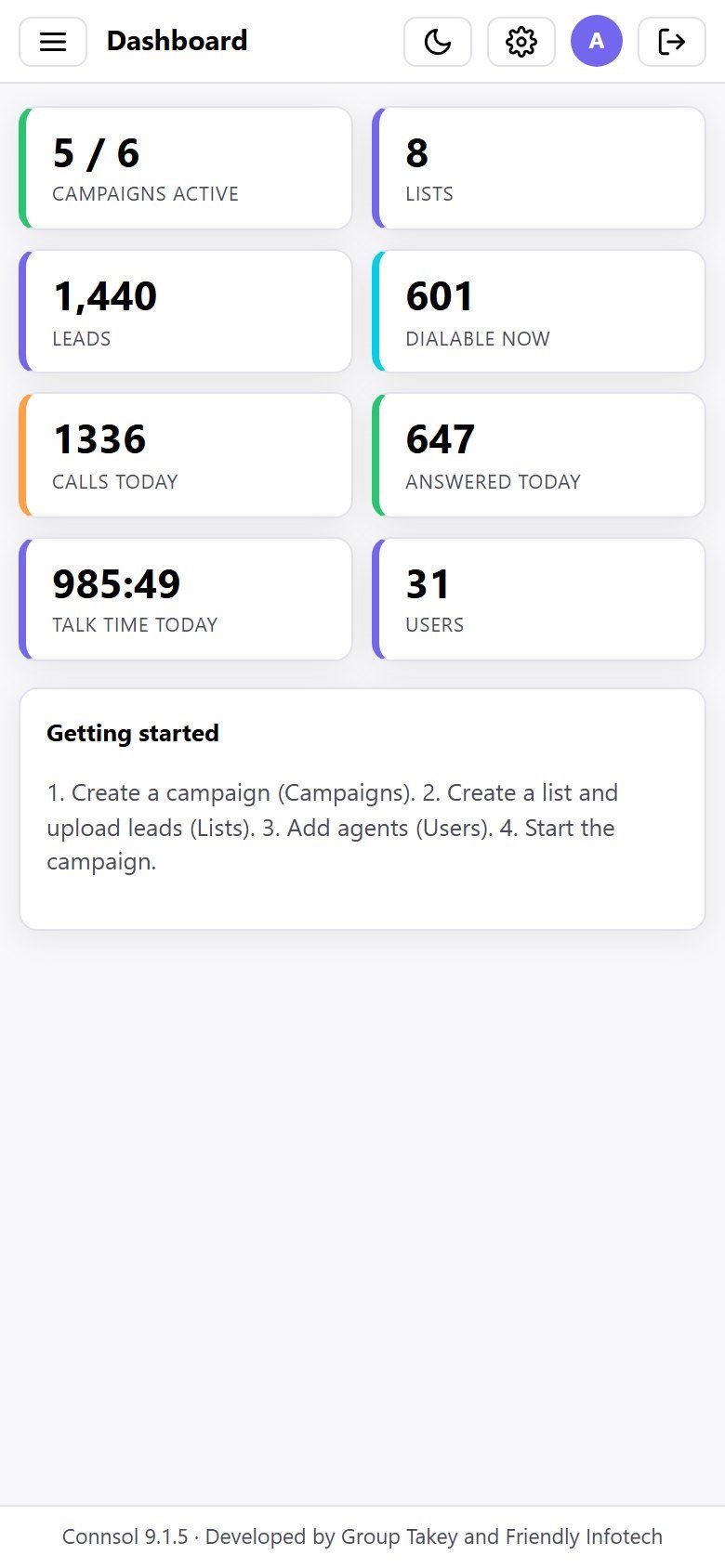
The same full screens on a phone
Admins, managers and agents can work from a phone or tablet. Compact tables, big buttons, light and dark themes.
The small things that make a calling floor run smoothly
WhatsApp & SMS
Templates, automatic messages after a call or IVR key, and one-tap sending by agents.
Scripts
Write what agents read, filled with the customer’s name and fields.
Call backs
Agents promise a time and Connsol reminds them before it is due.
Do-Not-Call
One list that every campaign respects; customers can opt out from the IVR.
Trunks
GSM / SIP gateways and VoIP providers, with live status.
Licence control
Lifetime or term licence with an agent limit, bound to your server.
Made for every kind of calling team
Sales & lead calling
Progressive or predictive dialing, scripts, call backs and a sales result for every call.
Reminders & surveys
IVR broadcast for EMI, renewal, offer and feedback calls with “Press 1” replies.
Customer support
Inbound lines with waiting time, recordings and agent-wise reports.
See the real screens, with sample data
Open the demo, sign in with a demo account and click around. Nothing you do is saved, and no calls are made.
Admin login
Username: admin · Password: Demo@123 — campaigns, lists, real-time board, reports, recordings, users and roles.
Agent login
Username: agent · Password: Demo@123 — choose a campaign, press Ready and take a sample call.
Getting started is simple
We install it
On your server, from a simple installer. No special skills needed.
Connect your lines
Add your GSM gateway or VoIP provider as a trunk.
Add agents & lists
Create logins, upload your customer lists, set the campaign.
Start dialing
Agents press Ready and the calls start coming to them.
See Connsol running in your calling team
Ask us for a demo with your own campaign, or get the brochure.
Connsol for US businesses
Our cloud software runs from any browser, so US teams in multiple states can share the same billing, inventory or event data. Onboarding sessions are scheduled in your time zone and data export is always available.
Group Takey is a full-service IT partner for US startups, agencies and growing companies. Our delivery team works remotely and schedules calls around US time zones, so you get senior engineers, designers and marketers at a fraction of the cost of a domestic agency, with clear milestones and transparent pricing.
Frequently asked questions
Can businesses in the USA use this software?
Yes. It is cloud based, so teams in New York, Los Angeles or anywhere else in the USA sign in from a browser. Invoices and reports can be exported for your accountant and sales tax filings.
Is onboarding and support available in USA hours?
We run onboarding sessions in US time zones and support by phone (+91 7573 998 899), WhatsApp and email, backed by our delivery team in India with remote support for US clients.
Who owns our data?
You do. Data stays under your account, can be exported at any time and is protected with role-based access and regular backups, in line with US privacy expectations such as CCPA.
Group Takey also serves: India · United Kingdom · United Arab Emirates · Australia · Canada · New Zealand · Oman · International